Canada Passport Photo Size in Pixels
A Canadian passport photo is 50 × 70 mm, which is bigger than the 35 × 45 mm used by most countries. At 300 DPI that is about 591 × 827 pixels, and at 600 DPI about 1181 × 1654. The face, from chin to crown, should measure 31 to 36 mm.
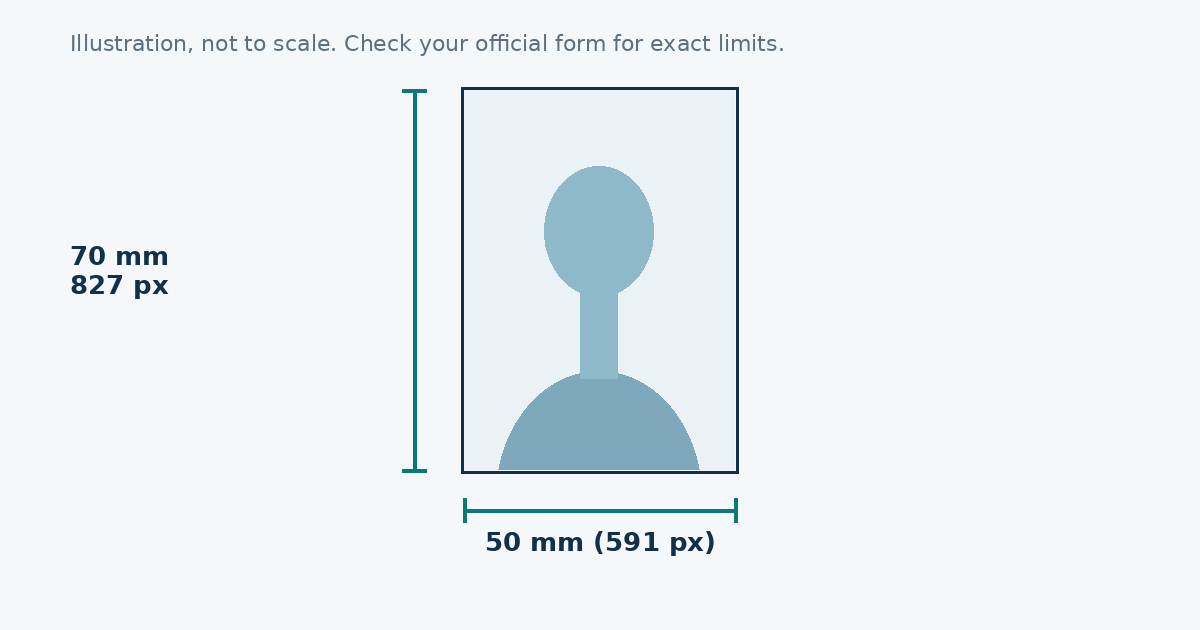
Size by resolution
| Resolution | Pixels (50 × 70 mm) |
|---|---|
| 300 DPI | 591 × 827 |
| 600 DPI | 1181 × 1654 |
Why people get this wrong
Many online “passport photo” tools default to 35 × 45 mm or 2 × 2 inches. If you use one of those for a Canadian application, the photo is the wrong shape and will be refused. Pick 50 × 70 mm, which is a tall portrait rectangle.
The photo itself
- Plain white or light-coloured background, with no shadows.
- A neutral expression, with your mouth closed and eyes open.
- Face centred, looking straight at the camera.
- No glasses with glare, and no hat unless it is worn for religious or medical reasons.
- Printed photos usually need the photographer’s details and the date on the back, so read the paper-application rules before printing.
Making the file
- Open the photo resizer.
- Pick “Canada passport” (591 × 827).
- Move and zoom until your face fills the right amount of the oval.
- Download the JPEG. If a website gives a file size limit, enter it first.
Because this photo is taller, leave a little more room above your hair than you would for a square photo.
The pixel math
Use pixels = millimetres ÷ 25.4 × DPI. For 50 mm at 300 DPI that’s 591 pixels, and for 70 mm it’s 827. The shape is 5:7, which is exactly the ratio of 591 to 827. If a tool offers 35 × 45 or 2 × 2 inches, it will not give you a Canadian passport photo no matter how you stretch it.
The mistake that trips up most people
In the Canadian photo, the face is only 31 to 36 mm tall inside a 70 mm frame. That’s about 44 to 51 percent of the height, or roughly 366 to 425 pixels in an 827 pixel tall picture. Compare that with a Schengen photo, where the head fills 71 to 80 percent of the frame.
So if you’re used to other countries, your instinct is to crop tight. For Canada that makes the head too big. Leave plenty of space above the hair and around the shoulders.
Printing the photo
For a paper application, the printed photo has to be 50 × 70 mm. At a shop, ask for 100 percent scale and no “fit to page”. Self-service kiosks often default to common sizes like 4 × 6 inches and add a border or crop the edges. Measure the printed photo with a ruler before you leave the shop.
Photo studio or home photo
A studio takes care of lighting and background, and for paper applications it also handles the details usually required on the back of the photo. Taking it at home is cheaper and fine for an online upload, but you have to manage the light and the background yourself. Whichever way you go, read the current photo page of the Government of Canada first, because requirements can change.
Common reasons for rejection
- The photo is the wrong size, usually 35 × 45 mm.
- The head is too large or too small for the frame.
- Shadows on the face or the background.
- Glare on glasses, or a hat that isn’t worn for religious or medical reasons.
- A mouth that is open, or an expression that isn’t neutral.
- Filters or retouching.
Checklist before you submit
- Size is 50 × 70 mm, or 591 × 827 pixels at 300 DPI.
- Face height is 31 to 36 mm, chin to crown.
- Background is plain, white or light.
- Eyes open, mouth closed, looking at the lens.
- No shadows, no glare, no filters.
- You’ve compared it with the official page the same day.
Digital files
If you only need a digital file, a larger size like 1181 × 1654 pixels (600 DPI) gives a printer more detail. Websites that accept uploads usually state their own pixel and file size limits, and those limits are the ones that count.
Sources
Frequently asked questions
What size is a Canadian passport photo?
50 mm wide and 70 mm high.
What is that in pixels?
About 591 x 827 pixels at 300 DPI and 1181 x 1654 at 600 DPI.
How big should the face be?
Passport Canada asks for a face height of 31 to 36 mm, from chin to crown.
Are two photos needed?
For a paper application, yes, two identical photos. Read the current instructions for details.