Photo Size in Pixels: mm to Pixels Chart for Passport and Visa Photos

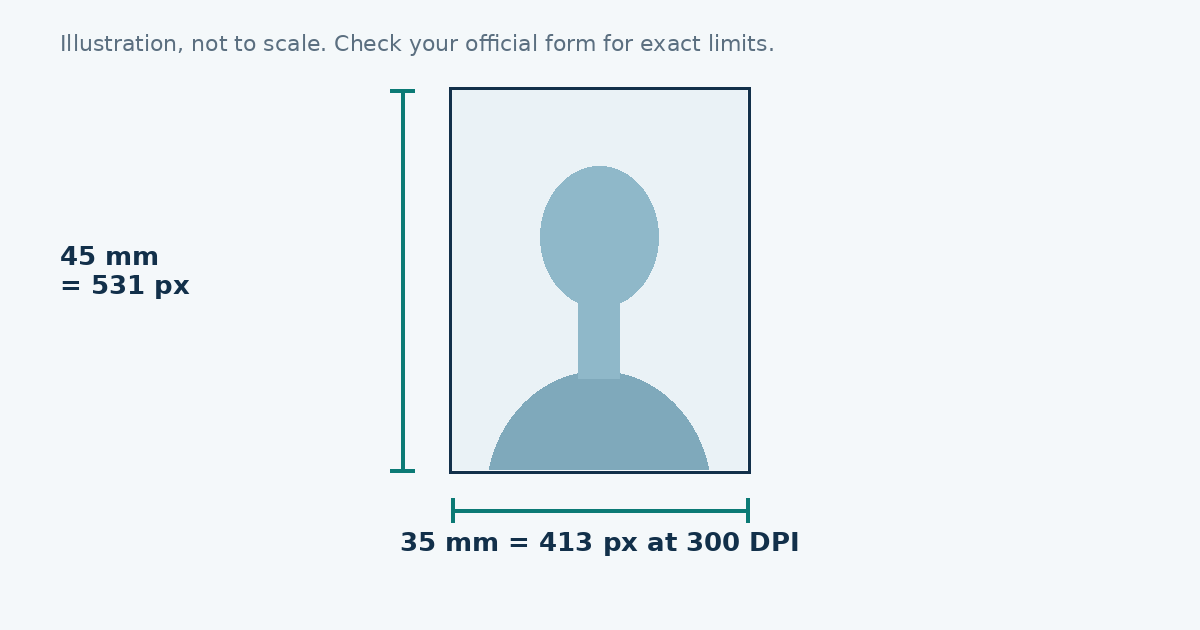
To convert millimetres to pixels, divide by 25.4 and multiply by the DPI. At 300 DPI, 35 × 45 mm is about 413 × 531 pixels, 2 × 2 inches is 600 × 600, and 50 × 70 mm is about 591 × 827. The table below has the common sizes.
The formula
Pixels = millimetres ÷ 25.4 × DPI. For inches, skip the division: pixels = inches × DPI.
Example: a 35 mm width at 300 DPI. 35 ÷ 25.4 = 1.378 inches. 1.378 × 300 = 413 pixels.
The chart
| Photo | Size | 300 DPI | 600 DPI |
|---|---|---|---|
| US passport or visa | 2 × 2 in | 600 × 600 | 1200 × 1200 |
| Schengen visa, UK print | 35 × 45 mm | 413 × 531 | 827 × 1063 |
| Canada passport | 50 × 70 mm | 591 × 827 | 1181 × 1654 |
| 40 × 50 mm photo | 40 × 50 mm | 472 × 591 | 945 × 1181 |
| 30 × 40 mm photo | 30 × 40 mm | 354 × 472 | 709 × 945 |
| 4 × 6 in print | 4 × 6 in | 1200 × 1800 | 2400 × 3600 |
What DPI really means
DPI is dots per inch, which is a printing term. It describes how many pixels are spread over each inch of paper. A screen doesn’t use DPI in the same way, so an upload form that asks for pixels isn’t asking about DPI at all. It wants the pixel count, and the table gives it.
The higher the DPI, the sharper the print, and the bigger the file. For most passport and visa work, 300 DPI is the usual choice.
Printed photos and digital photos
A shop that prints your photo needs the physical size, such as 35 × 45 mm. A website upload needs pixels. When a form gives both, follow the pixel values on the form. When it gives only millimetres, use the 300 DPI numbers from the chart.
Why sizes in pixels aren’t always the same
Different forms ask for different pixel sizes, even for the same photo. The UK online service, for example, asks for a larger digital file than the 413 × 531 you’d calculate from the print size. The US wants a square between 600 and 1200 pixels. Always take the number from the official form for your application, not from a chart.
Ratio matters as much as size
A photo has a shape as well as a size. 35 × 45 mm is a ratio of 7:9. 50 × 70 mm is 5:7. A square is 1:1. If you change the ratio, you must crop, because stretching distorts the face. The resizer crops for you and lets you pick what stays inside the frame.
How to use the chart in practice
- Find the size your application needs.
- Look up the pixel size, or calculate it with the formula.
- Open the photo resizer and choose the matching preset, or enter the width and height with the custom option.
- Position your face, set the file limit and download.
Checking a photo’s size
On Windows, right-click the file and choose Properties, then Details. On a Mac, open the picture in Preview and choose Tools, then Show Inspector. On a phone, most gallery apps show the pixel size in the picture’s info panel.
Common mistakes
- Using a 35 × 45 mm size for a Canadian photo, which is 50 × 70 mm.
- Entering the millimetres as pixels, so the picture is 35 pixels wide.
- Making a small image larger, which only makes it blurry.
- Forgetting the file size limit.
Quick reference
If you remember one thing, remember the 300 DPI numbers: 600 × 600 for US, 413 × 531 for 35 × 45 mm, 591 × 827 for 50 × 70 mm. Then confirm them on your official form.
Worked examples
Say your form wants a 45 × 55 mm photo at 300 DPI. The width is 45 ÷ 25.4 × 300, which is about 531. The height is 55 ÷ 25.4 × 300, which is about 650. So the file is 531 × 650 pixels.
Now say a shop wants a 40 × 50 mm file at 600 DPI. The width is 40 ÷ 25.4 × 600, about 945, and the height is 50 ÷ 25.4 × 600, about 1181. So the file is 945 × 1181 pixels.
If you do this by hand, round to the nearest whole pixel and check the ratio. The width divided by the height should match the millimetre ratio closely.
Sources
Frequently asked questions
What is 35 x 45 mm in pixels?
About 413 x 531 pixels at 300 DPI, or 827 x 1063 at 600 DPI.
What is 2 x 2 inches in pixels?
600 x 600 pixels at 300 DPI, or 1200 x 1200 at 600 DPI.
What is 50 x 70 mm in pixels?
About 591 x 827 pixels at 300 DPI.
How do I convert mm to pixels?
Divide the millimetres by 25.4, then multiply by the DPI. For example, 35 mm is 35 / 25.4 x 300, which is about 413 pixels.