UK Passport Photo Size in Pixels
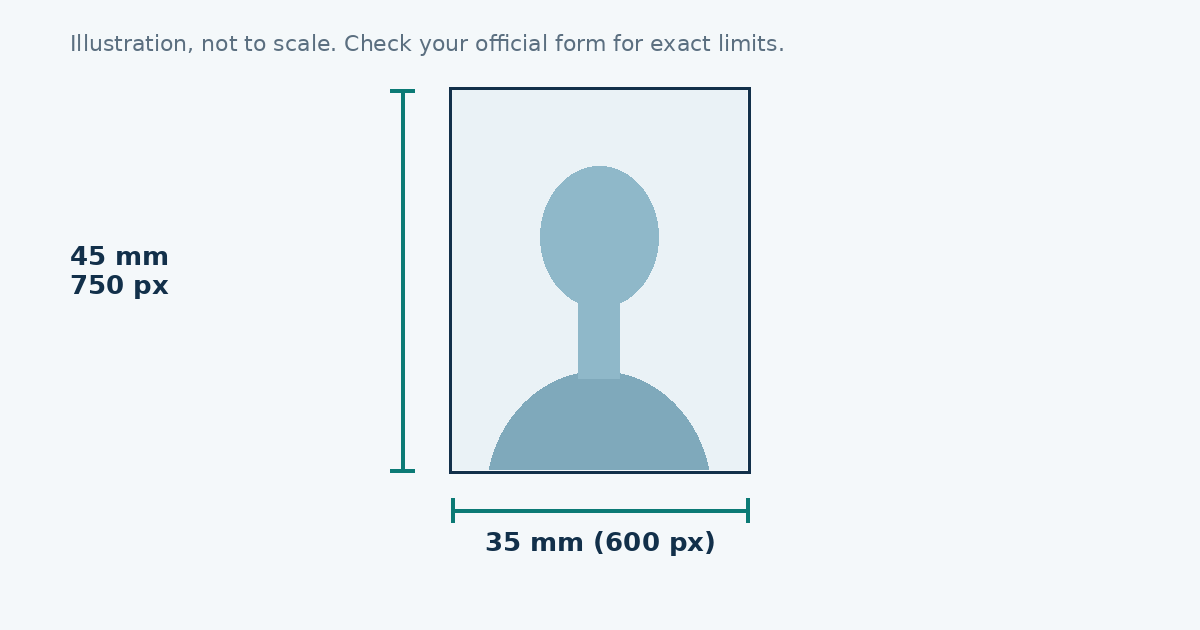
A printed UK passport photo is 35 × 45 mm. For an online application, GOV.UK asks for a JPEG that is at least 600 pixels wide and 750 pixels high, so 600 × 750 is the safe size. The shape is 4:5, a little wider than the 35:45 print, so leave a small margin around your head.
What to know before you shoot
| Item | Detail |
|---|---|
| Printed size | 35 × 45 mm |
| Digital minimum | 600 × 750 px |
| Format | JPEG |
| Background | Plain cream or light grey |
| Expression | Neutral, mouth closed |
The digital numbers can change, so look at the GOV.UK photo page on the day you apply.
Background
White is the colour people reach for first, but the UK asks for cream or light grey. A white wall in shade often photographs light grey, which is fine. A wall with texture, a door frame or a visible shadow behind your head will cause trouble.
Face and head
Look straight at the camera. Keep your hair away from your eyes and don’t tilt your head. Your face should be clear and fill most of the picture. No filters, and no red-eye fix that changes your eye colour.
Glasses and head coverings
Photos without glasses are the easiest to get accepted. If you have to keep them on, avoid reflections and make sure your eyes are visible. A hat is not allowed unless it is worn for religious or medical reasons, and your face must still be clear from chin to forehead.
Resizing your picture
Open the photo resizer, choose “UK passport”, and fit your face inside the oval. The preset uses 600 × 750 pixels. Download the JPEG and check its size on your device before you upload.
The pixel math
Pixels = millimetres ÷ 25.4 × DPI. At 300 DPI the printed 35 × 45 mm photo works out to about 413 × 531 pixels, but the online service wants more detail than that. A 600 × 750 picture is a 4:5 shape, a little wider than the 35:45 print, so leave a small margin around your head and let the service crop if it needs to.
Why the background is cream or grey
Most people expect white. UK guidance asks for a plain cream or light grey background, partly because a pure white wall washes out a pale face and hair. If your wall is white, stand where it falls into soft shadow-free light and it will often photograph as a light grey. Check the preview. If it looks yellow or blue, move closer to a window.
Fixing lighting problems
| Problem | Fix |
|---|---|
| Shadow behind your head | Step a metre away from the wall |
| Shadow on one side of the face | Turn to face the window, not sideways to it |
| Red or shiny skin | Switch the flash off and use daylight |
| Yellow wall colour | Move away from lamps and use daylight |
| Blurry picture | Wipe the lens and ask someone to hold the phone |
Hair, jewellery and clothing
Keep your hair off your face and eyes. Take out anything that covers your face or casts a shadow on it, like large earrings that swing in front of the jaw or a scarf that rides up. A plain top that contrasts with the background helps the edges of your shoulders show clearly.
How recent the photo needs to be
The UK is stricter than many countries about how recent a photo should be, and the limit has been short. Read the current wording on GOV.UK rather than relying on memory, including ours.
The upload check
The online application usually checks the photo when you upload it and tells you if something is wrong. Read the message properly. It often names the exact problem, such as shadows, a closed mouth or a low resolution file, and that saves you a few blind retries.
Reasons photos get refused
- Wrong background colour, or a visible pattern.
- Shadows on the face or wall.
- Mouth open, or a big smile.
- Glasses with glare, or tinted lenses.
- Hair or a hat covering part of the face.
- A heavily filtered or edited picture.
- A file below the minimum size.
A simple routine
- Shoot near a window against a plain wall.
- Resize with the tool to 600 × 750.
- Open the JPEG and check your eyes are sharp.
- Upload and read any message the service gives you.
Sources
Frequently asked questions
What size is a UK passport photo?
35 mm wide and 45 mm high for printed photos.
What is the UK digital photo size in pixels?
GOV.UK asks for at least 600 pixels wide and 750 pixels high for online applications. Check the page for the current numbers.
What colour should the background be?
Plain cream or light grey, with no shadows or pattern.
Can I wear glasses?
Only if you can't take them off, and there must be no glare or tinted lenses.