US Passport Photo Requirements for Online Upload
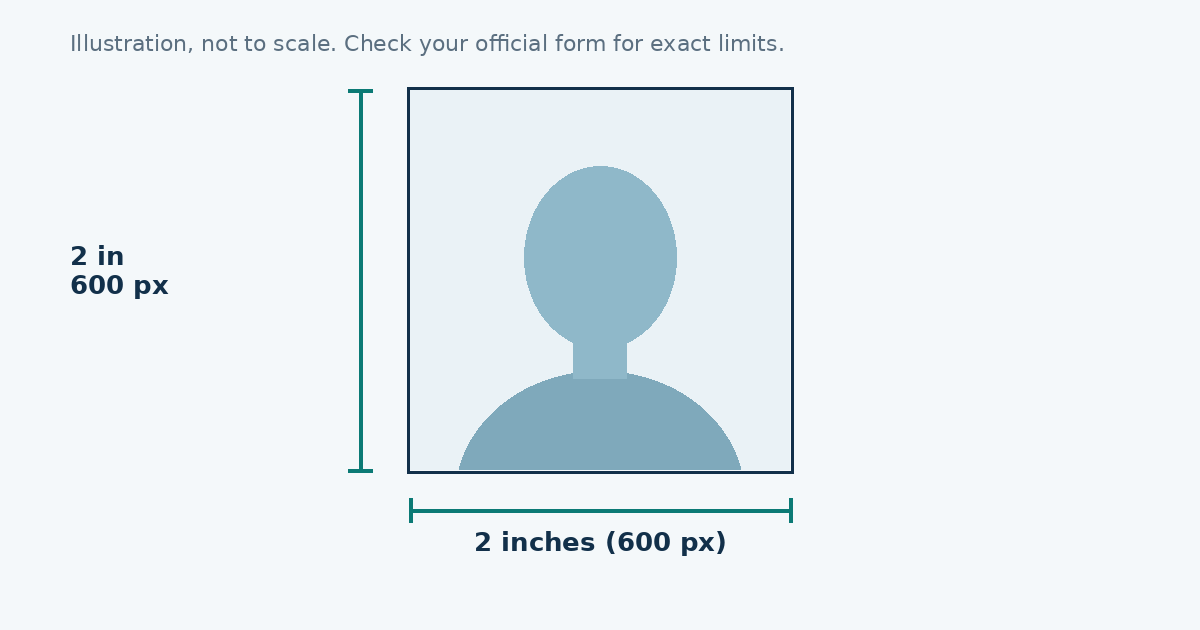
A US passport photo is 2 × 2 inches (51 × 51 mm). For an online upload, the file has to be a square JPEG between 600 × 600 and 1200 × 1200 pixels and under 240 KB. Your head, from chin to the top of your hair, should measure between 1 and 1⅜ inches (25 to 35 mm).
The quick version
| Item | Requirement |
|---|---|
| Print size | 2 × 2 in (51 × 51 mm) |
| Digital size | 600 × 600 to 1200 × 1200 px, square |
| File | JPEG, under 240 KB |
| Colour | Colour, no black and white |
| Age of photo | Taken in the last 6 months |
| Head size | 1 to 1⅜ in (25 to 35 mm), chin to crown |
Background and light
Use a plain white or off-white wall. Stand about a metre in front of it so your shadow doesn’t land on the wall. Face a window for soft light on both cheeks. A phone flash is the usual reason for glare and red eyes, so turn it off.
Your face and what you wear
Look straight at the lens with a neutral expression or a natural, small smile. Keep both eyes open and your mouth closed. Glasses are generally not allowed, so take them off. Skip uniforms and anything that looks like one. Hats and head coverings are only accepted with a signed statement for religious or medical reasons.
Don’t use beauty filters or retouching. Rejections often come from a photo that looks “too smooth”.
Taking it at home
Ask someone to hold the phone at eye level, about an arm’s length away. Selfies tend to stretch the nose and tilt the chin, so a second person helps a lot. Take ten shots and pick the sharpest one.
Getting the size right
Crop the picture into a square, keep your head inside the guide, and then shrink the file until it fits under 240 KB. The GridFix photo resizer does this in your browser. Choose “US passport / visa”, move the picture until your face fits the oval, set the limit to 240 and download. Nothing is uploaded to a server.
Mistakes that get photos sent back
- A rectangle instead of a square.
- A photo under 600 pixels, which is too small.
- Shadows behind the head.
- Head too small because you stood too far away.
- A JPEG over 240 KB after editing.
Rules are updated from time to time, so read the current page before you apply.
How the pixel math works
Printed size and pixels are tied together by resolution (DPI). The formula is simple: pixels = inches × DPI. At 300 DPI, 2 inches is 600 pixels, which is why 600 × 600 is the minimum. At 600 DPI you get 1200 pixels, the top of the allowed range.
A bigger picture isn’t a better one. More pixels means a bigger file, and you still have to get under 240 KB. For most people a size close to 600 or 800 pixels is easier to fit and looks the same on screen.
Phone settings that make a difference
- Use the back camera. It’s sharper than the selfie camera.
- Turn portrait mode off. Background blur counts as editing and can leave a soft halo around your hair.
- Switch on the grid lines so your head stays level.
- Stand a metre or more away and zoom in a little, instead of holding the phone close with the wide lens. Close-up wide shots stretch the nose and chin.
- Wipe the lens. A smudged lens gives a hazy picture that looks like a filter.
A two-minute check before you upload
- Is the picture square?
- Is your whole head visible, with a little space above your hair?
- Is the background plain, with no shadow on the wall or on your neck?
- Are your eyes open and your mouth closed?
- Is the file a JPEG under 240 KB?
If you can’t answer yes to all five, retake the photo. Software can fix size, but it can’t fix a shadow or a tilted head.
What the resizer does and doesn’t do
The tool crops to the size you pick, then lowers JPEG quality until the file fits your limit. It doesn’t check your face position, remove backgrounds or judge lighting, so those checks are yours. It also doesn’t keep your picture. Everything happens in your browser, and a re-saved image doesn’t carry the location data that some phone photos include.
When a paid photo makes sense
If you have no plain wall, a pharmacy, post office or photo shop can take the picture for you. That costs a few dollars, and it can be worth it if you’ve had a rejection already and don’t want to wait through another one. You can still use the resizer afterwards if the shop gives you a large digital file.
Sources
Frequently asked questions
What size is a US passport photo?
2 x 2 inches (51 x 51 mm). Online uploads must be square, between 600 x 600 and 1200 x 1200 pixels.
What is the maximum file size for a US passport photo upload?
240 KB, saved as a JPEG.
Can I wear glasses in a US passport photo?
Generally no. Take them off, even if you wear them every day.
How recent must the photo be?
Taken within the last 6 months, so it looks like you today.